The Taxonomy Image & Color of PostX lets you can specific category and tag colors and featured images. For that, you need to follow the below steps.
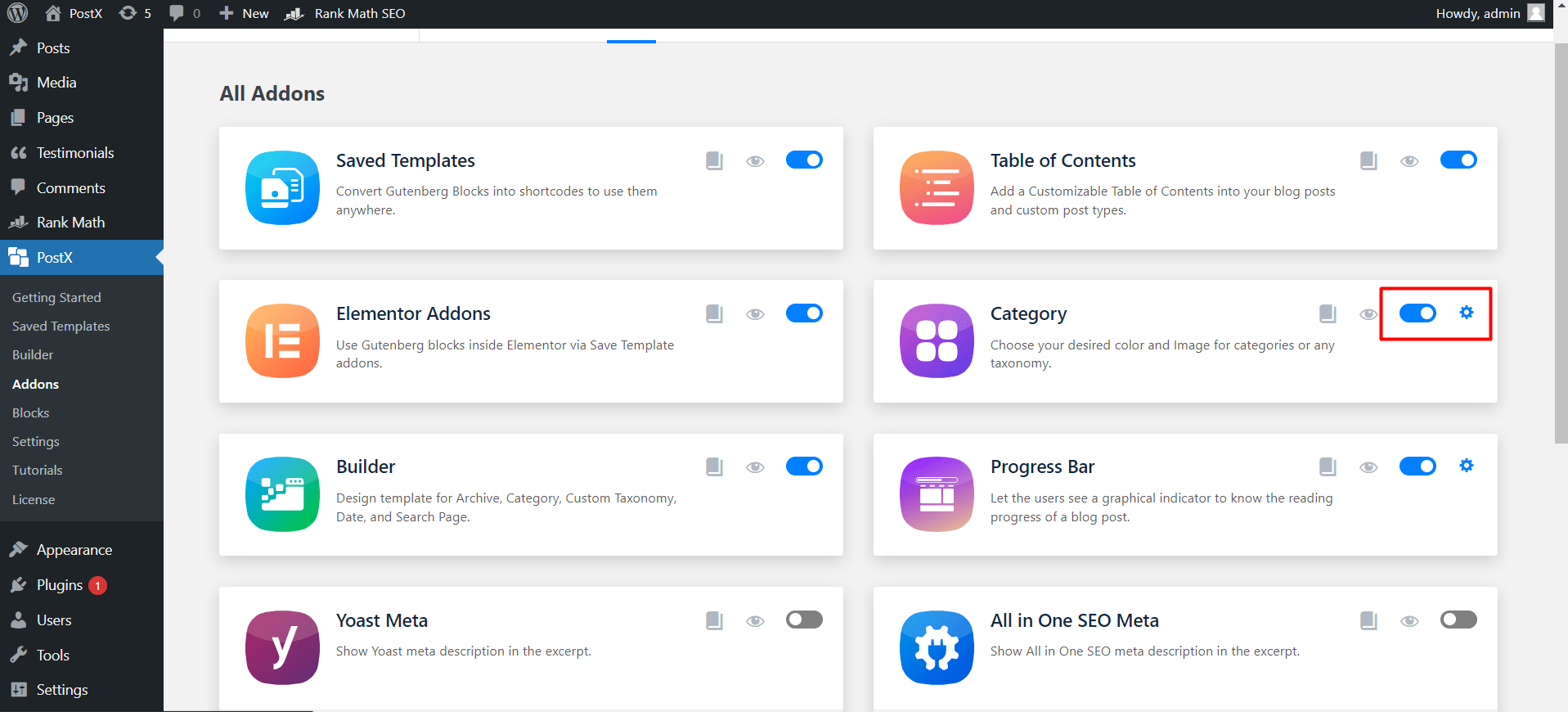
Turn on Taxonomy Image & Color addon from PostX Add-ons section.
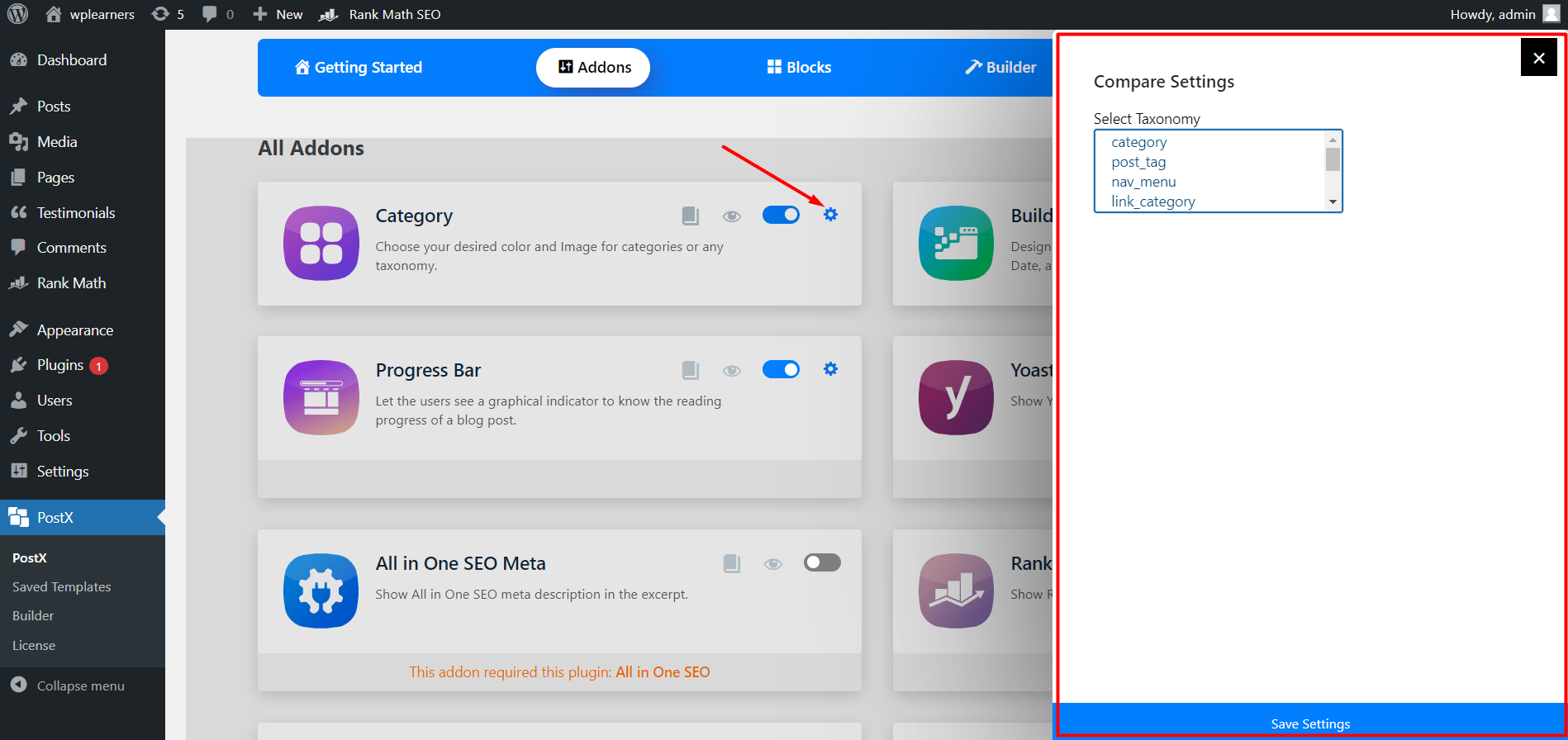
After turning on the addon, you can explore the setting section. From where, you can select your desired taxonomy such as category, tags, or both at the same time. After choosing the desired taxonomies, you start using the Taxonomy Image & Color addon’s features to those.
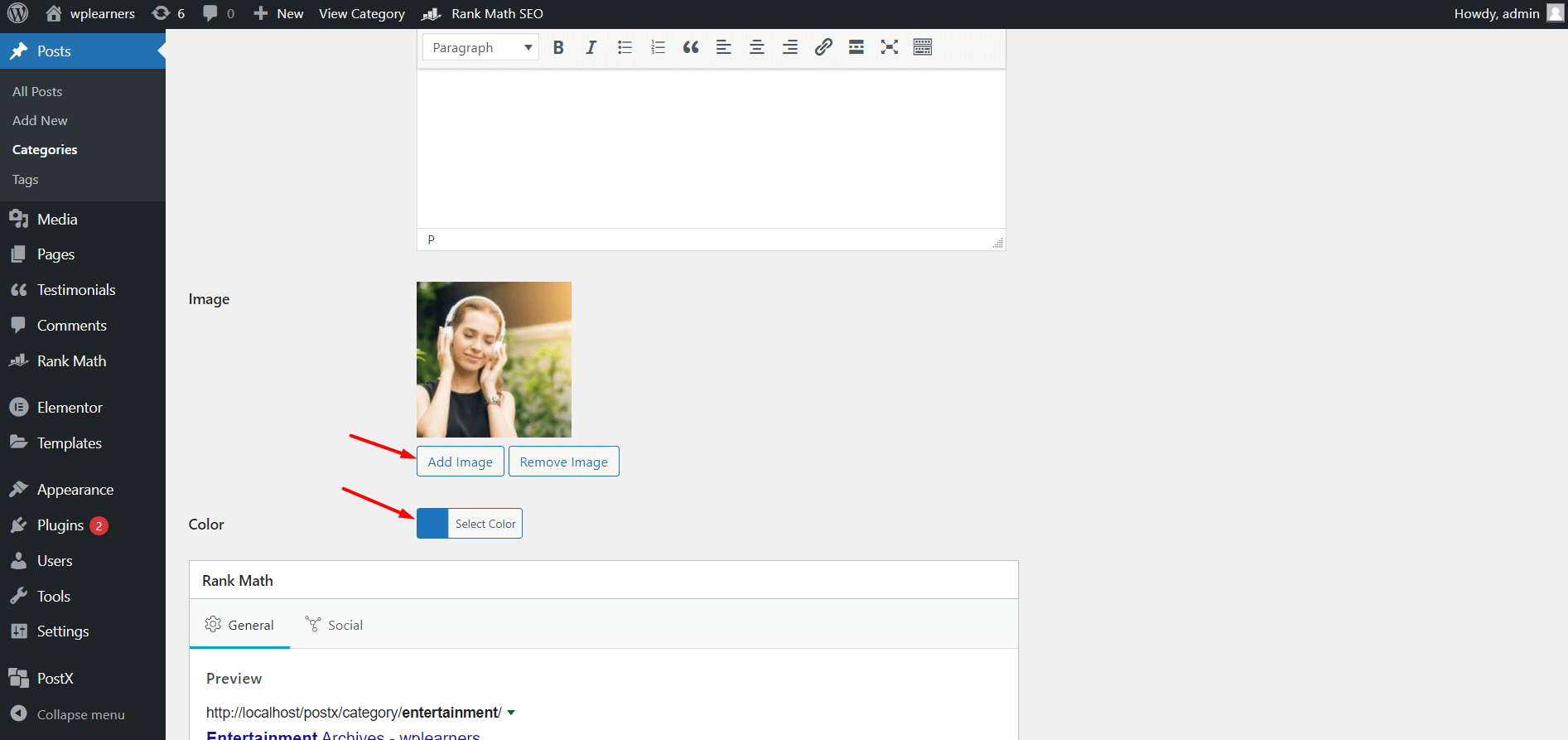
Now you can add desired color and image while editing categories and tag pages.
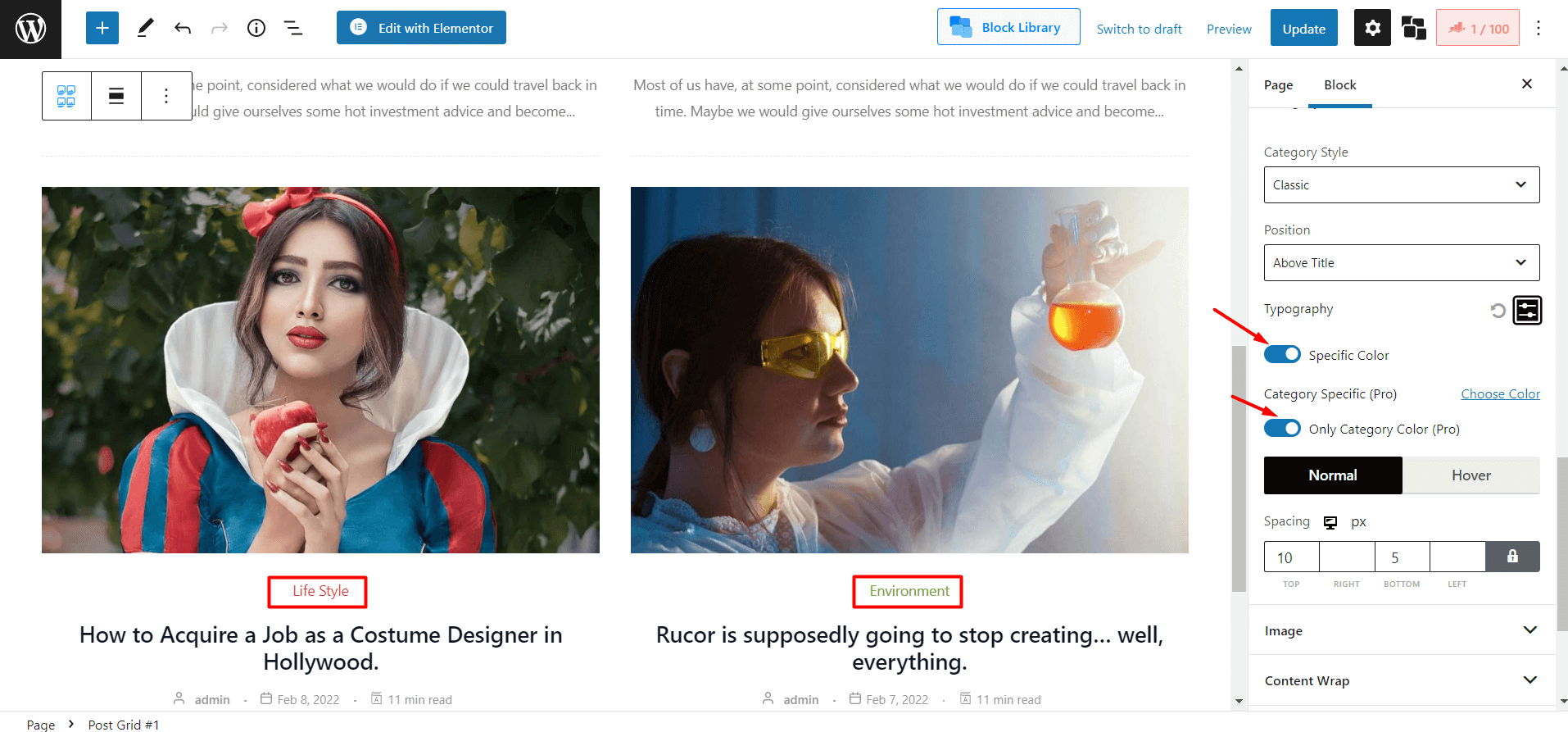
You can also enable specific category color options to display desired colors on post grid blocks.