
Use Case Summary
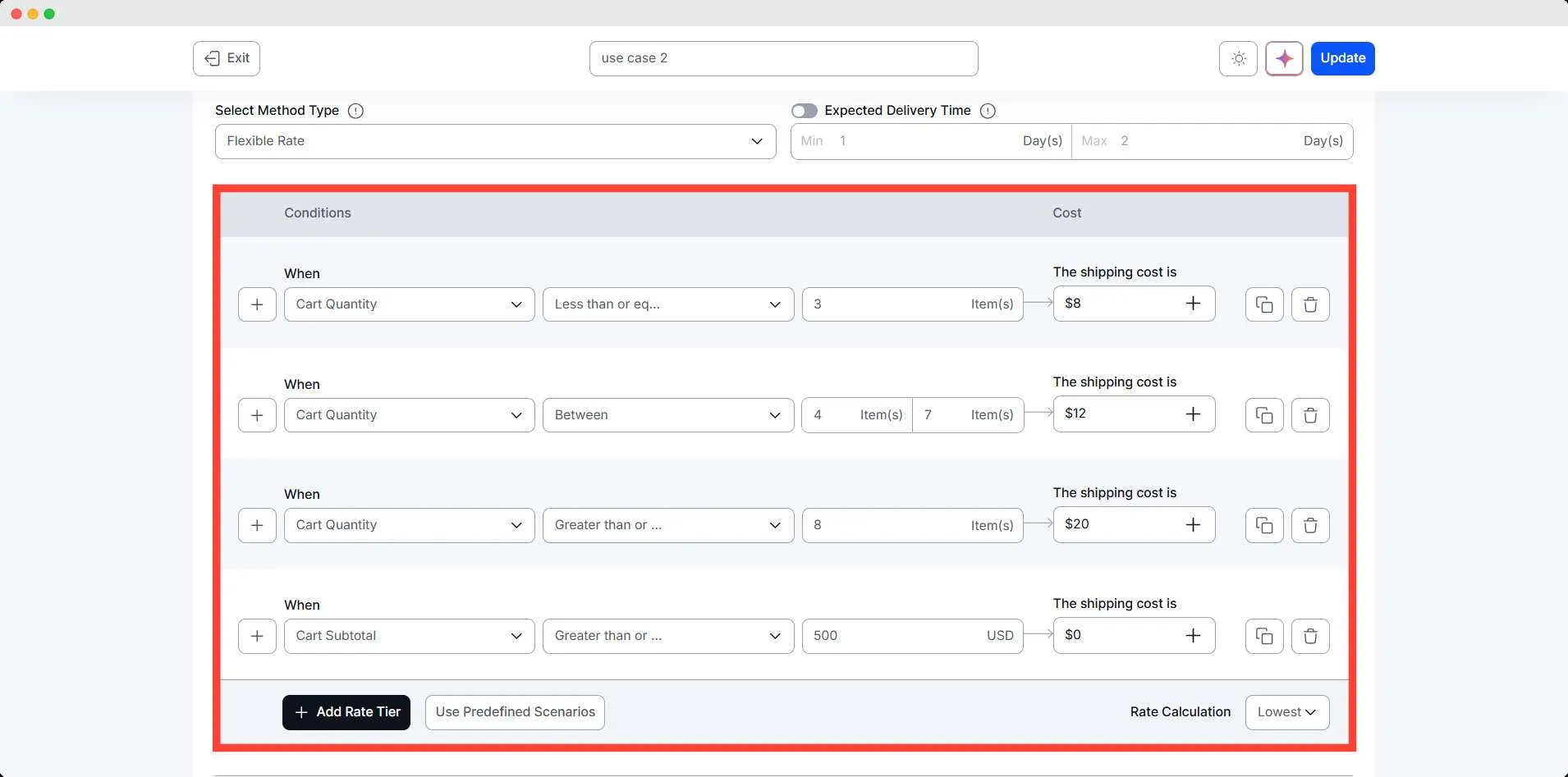
The store owner wants to charge shipping based on how many items a customer purchases. Smaller orders have a lower delivery cost, medium-sized orders cost a bit more, and large orders require a higher flat rate.
At the same time, they want to encourage bigger purchases by offering free shipping when the cart subtotal reaches $499.
Conditions Table
| Condition | Range | Result |
| Cart Quantity | 1–3 items | $8 |
| Cart Quantity | 4–7 items | $12 |
| Cart Quantity | 8 or more | $20 |
| Cart Subtotal | $499 or above | Free Shipping |
Step-by-Step Setup
Use simple steps like:
- Go to WowShipping.
- Click Create shipping method, set the name, zone, and type of shipping method
- Select the cart quantity condition, and set the shipping cost according to the scenario.
- Create other conditions similarly.
- Add a condition for Cart Subtotal ≥ $499 and set the cost to $0 (free shipping).
- Set the rate calculation to the lowest to give priority for free shipping
- Save the method.
Final Outcome
🟢 Customer buys 2 items → $8
🟢 Customer buys 6 items → $12
🟢 Customer buys 10 items → $20
🟢 Customer’s cart subtotal reaches $499 → Free Shipping