
Use Case Summary
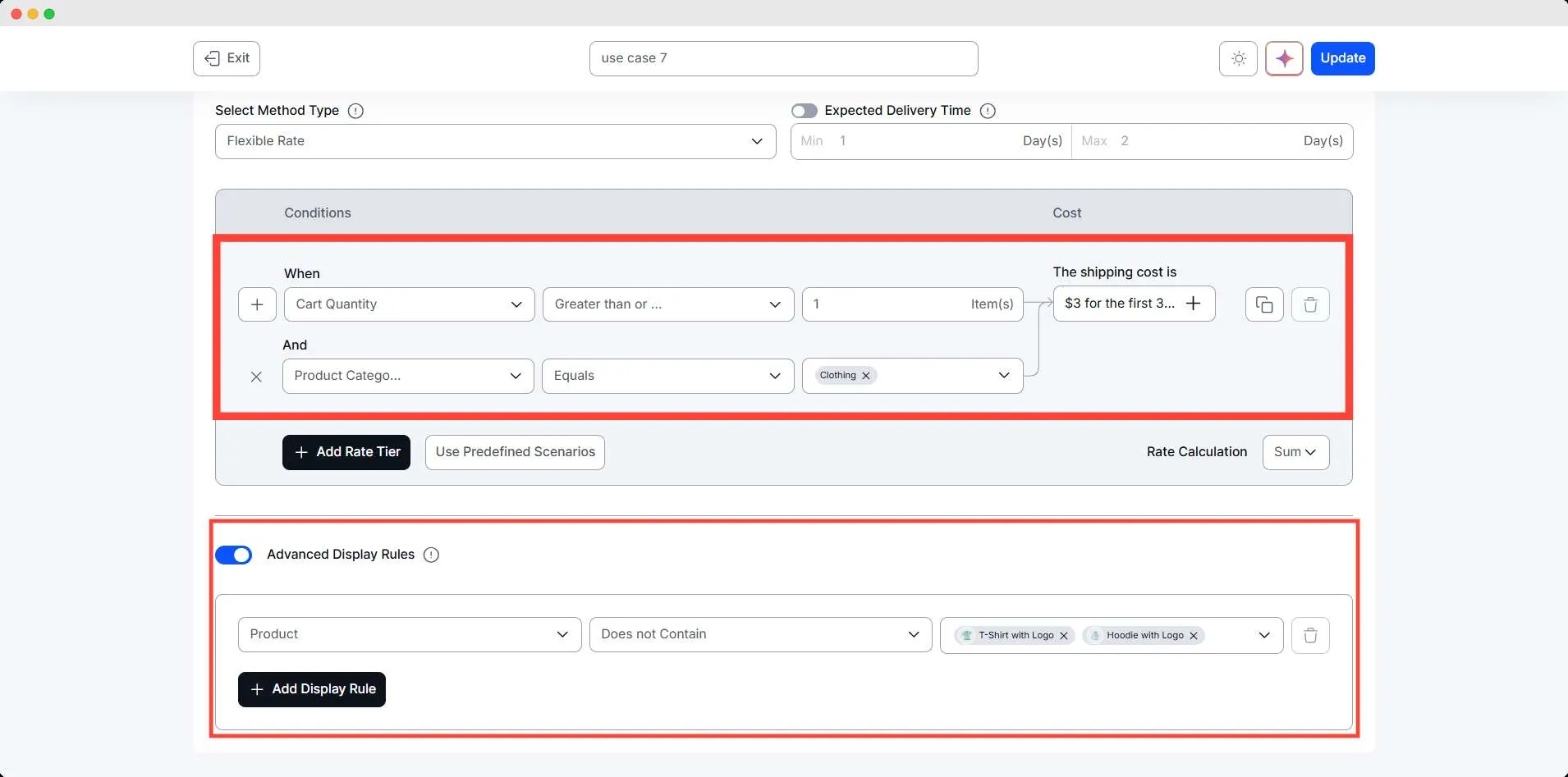
The store owner needs mixed quantity pricing: a category-level rule for clothing that charges a base fee for the first 3 items and then an incremental charge for additional units.
But when customers order a hoodie and a t-shirt together, they will get a lower shipping charge. It will encourage them to buy these products.
Conditions Table
| Condition | Quantity Range | Result |
| Product category: Clothing | > 1 unit | $3 for the first 3 items, then $2 for each 4 items |
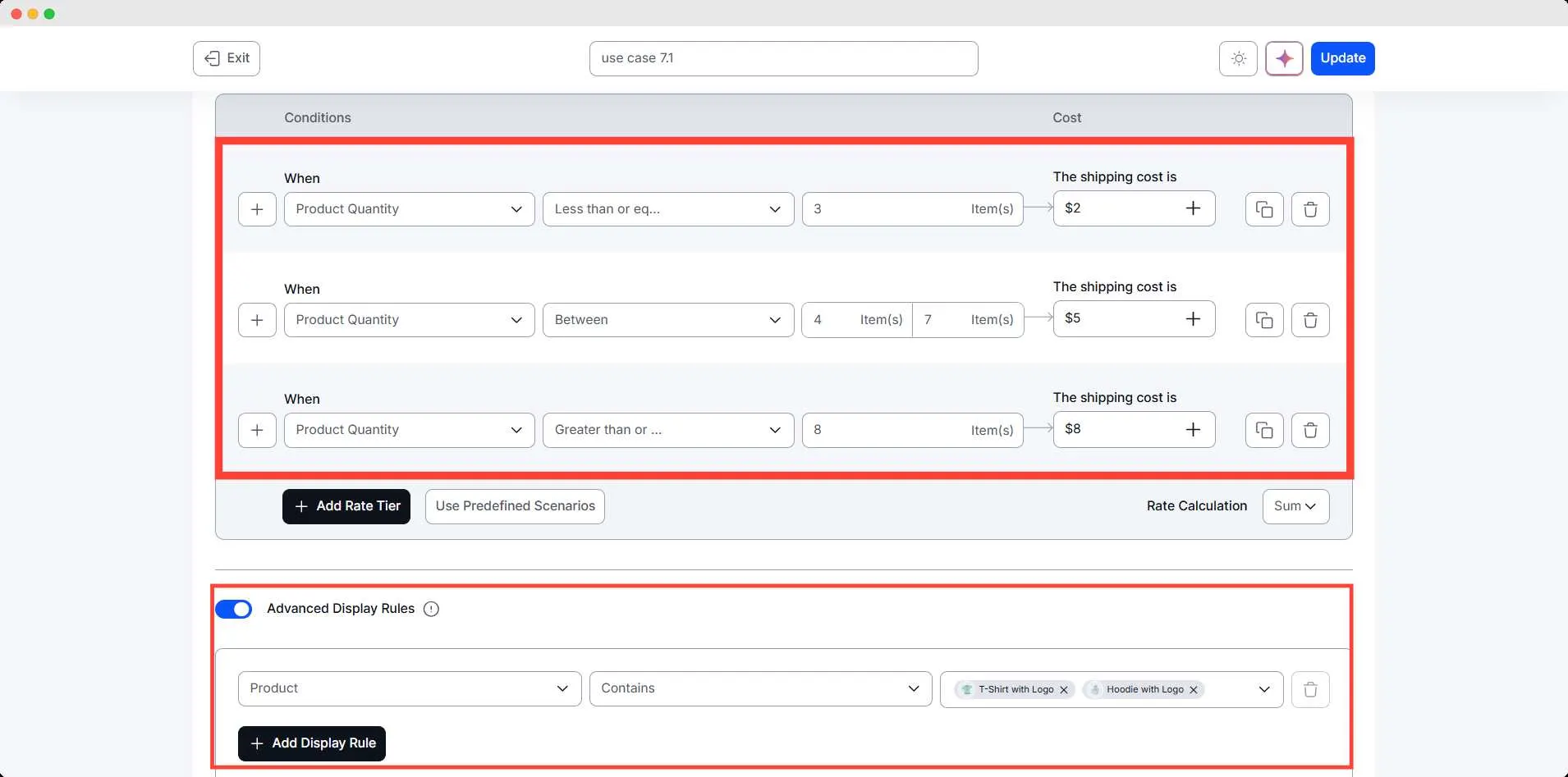
| Product: T-shirt AND Hoodie | 1–3 units | $2 |
| Product: T-shirt AND Hoodie | 4–6 units | $5 |
| Product: T-shirt AND Hoodie | 7+ units | $8 |
Step-by-Step Setup
For this complex scenario, you will need two methods to work together.
- Go to WowShipping.
- Click Create shipping method, set the name, zone, and type of shipping method
- Add a Cart quantity condition, recreate the scenario, and add shipping cost.
- Additional condition for product category: Clothing
- Set an advanced display rule when the cart doesn’t contain a hoodie and t-shirt
- Create another method, set the name, zone, and type of shipping method
- Now add a Cart quantity condition, recreate the scenario, and add shipping cost.
- Set advanced display rule for Product Contains: T-shirt and Hoodie
- Save the method]
Final Outcome
🟢 Customer buys 2 T-shirts → T-shirt rule applies: $2
🟢 Customer buys 5 Hoodies → Hoodie rule applies: $5
🟢 Customer buys 3 generic clothing items (not T/H) → Category rule: $3
🟢 Customer buys 7 generic clothing items → Category rule: $3 + $2 (one extra block of up to 4) = $5
🟢 Customer buys 11 generic clothing items → $3 + $2 × 2 (two extra blocks) = $7