
Use Case Summary
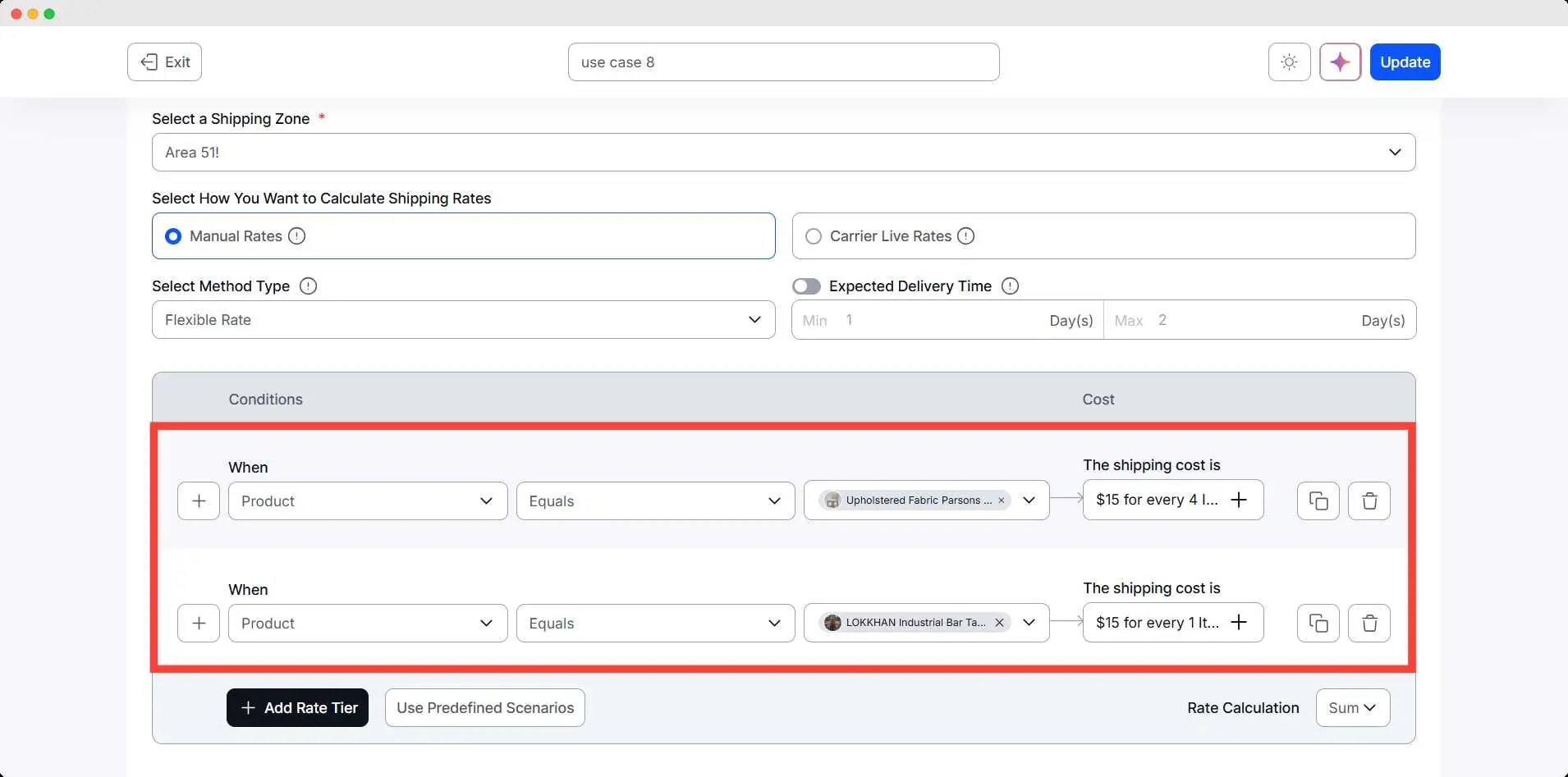
The store owner wants to create a combined shipping rule where every matching set of 4 Chairs and 1 Table should cost $30 total. Since both products follow different quantities, the store owner splits the set into two parallel conditions:
- 4 Chairs = $15
- 1 Table = $15
When both conditions are met, they form a complete set for $30. This lets the store charge accurately for furniture bundles without needing a special bundle plugin.
Conditions Table
| Condition | Range | Result |
| Product: Chair | Every 4 chairs | $15 |
| Product: Table | Every 1 table | $15 |
Step-by-Step Setup
- Go to WowShipping.
- Click Create shipping method, set the name, zone, and type of shipping method
- Add a Product condition for Chair and set the shipping cost.
- Similarly, create another tier for the Table and its shipping cost
- Save the method.
Final Outcome
🟢 4 chairs + 1 table → $15 + $15 = $30
🟢 3 chairs only → $15
🟢 1 table only → $15
🟢 5 chairs + 1 table → Chair rule triggers twice, table rule triggers once
→ $30 + $15 = $45