
Use Case Summary
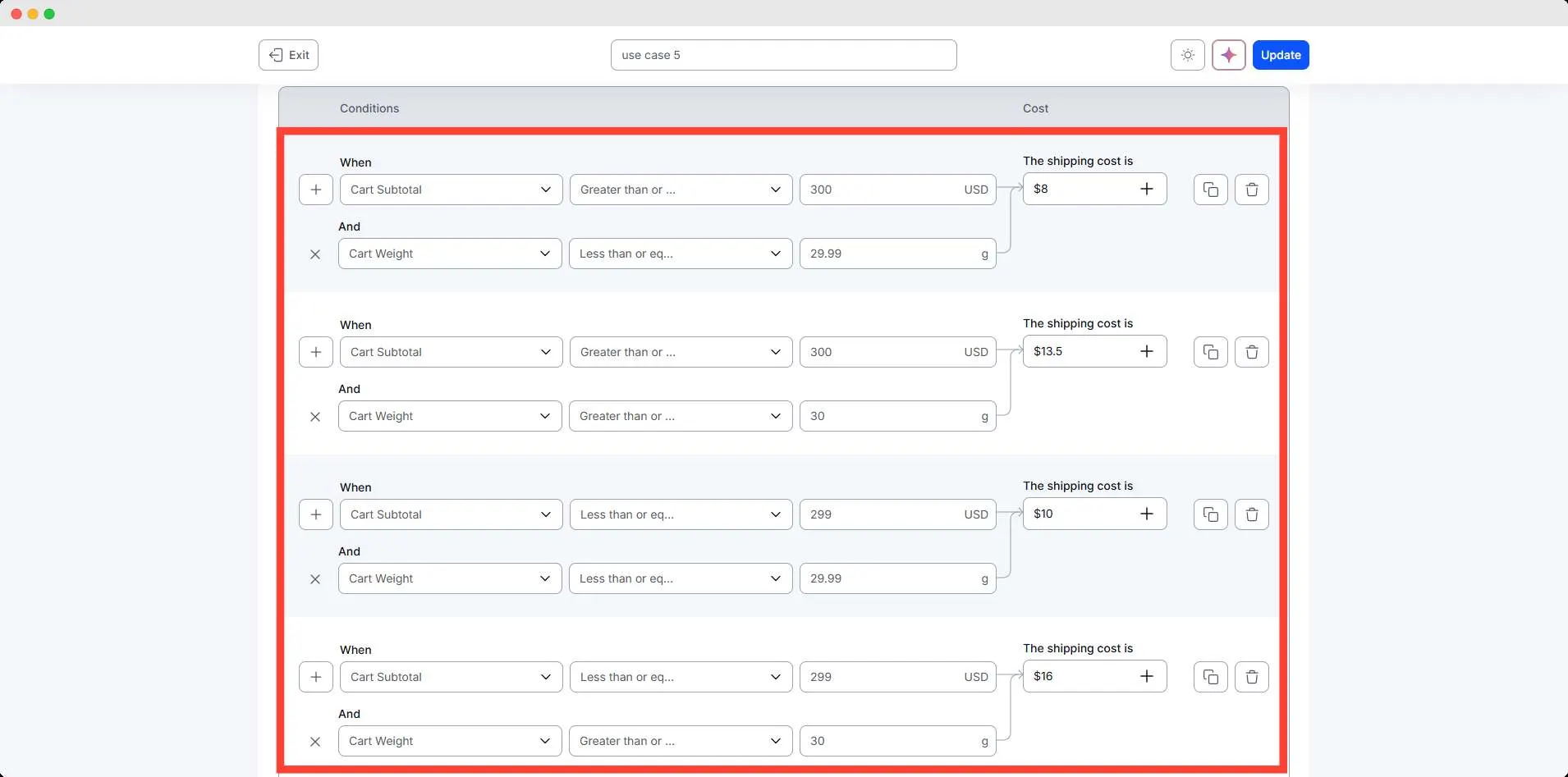
The store owner wants to calculate shipping using two factors at the same time: cart price and cart weight. Both conditions influence the final cost.
Lower-priced and heavier orders cost more to ship, while higher-priced and lighter orders have a reduced rate. Four combinations cover every possible scenario.
Conditions Table
| Condition | Range | Result |
| Cart Subtotal + Weight | Cart Subtotal ≥ 300 + Weight < 29.99 kg | $8 |
| Cart Subtotal + Weight | Cart Subtotal < 299 + Weight < 29.99 kg | $10 |
| Cart Subtotal + Weight | Cart Subtotal ≥ 300 + Weight ≥ 30 kg | $13.5 |
| Cart Subtotal + Weight | Cart Subtotal < 299 + Weight ≥ 30 kg | $16 |
Step-by-Step Setup
Use simple steps like:
- Go to WowShipping.
- Click Create shipping method, set the name, zone, and type of shipping method
- Select the Cart weight condition, set the parameter for less than or equal to $299 subtotal, and add the shipping cost
- Add additional condition for cart weight less than or equal to 29.99 kg
- Create other tiers similarly with cart subtotal and weight conditions to match every scenario.
- Save the method.
Final Outcome
🟢 Cart price $250 and weight 20 kg → $8
🟢 Cart price $250 and weight 35 kg → $13.5
🟢 Cart price $320 and weight 25 kg → $10
🟢 Cart price $320 and weight 40 kg → $16