
The Australia Post integration in WowShipping allows you to display live shipping rates from Australia Post directly at checkout.
⚠️ Important: This page explains Australia Post authentication and Australia Post–specific settings only.👉 For configuring Default Weight & Dimensions, Packaging Strategy, Markup Rate, and Fallback Method, please continue to the Carrier Live Rate page.
Here’s how to link Australia Post with WowShipping.
Step 1: Choose Australia Post as Your Carrier
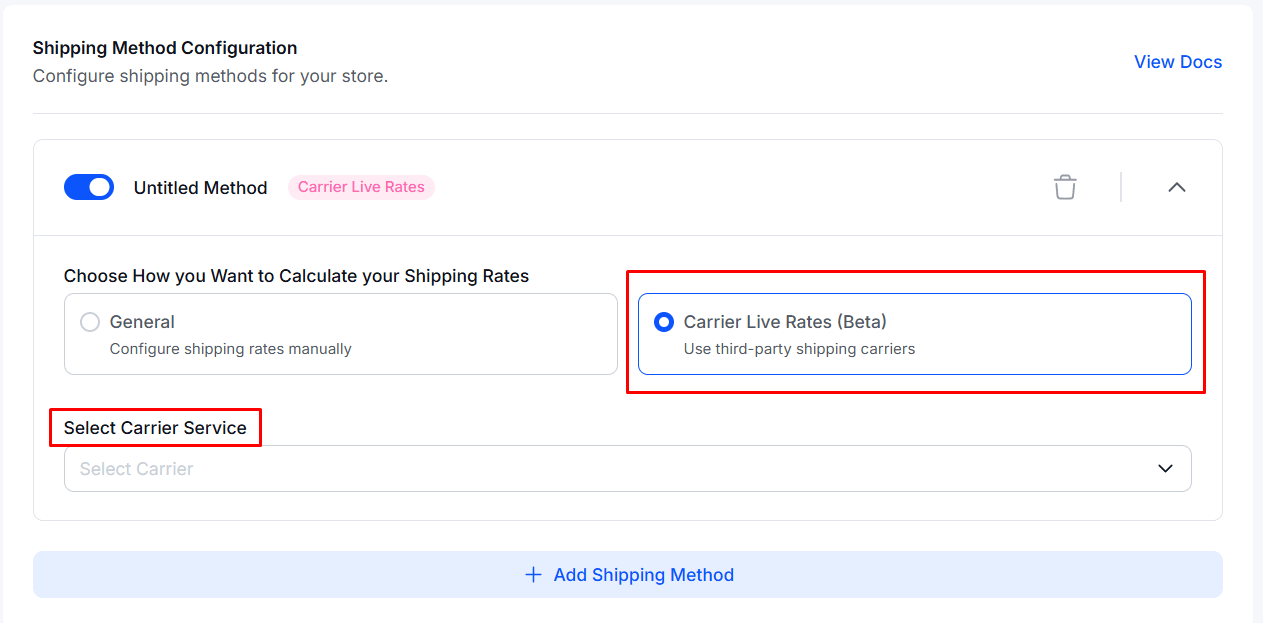
To begin, select Australia Post as your carrier by following these steps:
- Create a new shipping method or open an existing one you want to configure.
- Set Carrier Live Rates as the shipping rate calculation method.
- From the list of available carriers, select Australia Post.
Once selected, the Australia Post Account configuration settings will appear automatically.
Step 2: Connect Your Australia Post Account
After choosing Australia Post, you’ll need to connect your account:
- Scroll to the Australia Post Account section.
- Click Connect Account.
- A modal titled Manage Australia Post Account will open.
- Enter your Auth Key in the provided field.
- Click Save to complete the connection.
Note: You must obtain an Auth Key directly from Australia Post. This is typically available in your Australia Post account dashboard under API Settings. If you don’t have access, contact Australia Post support.
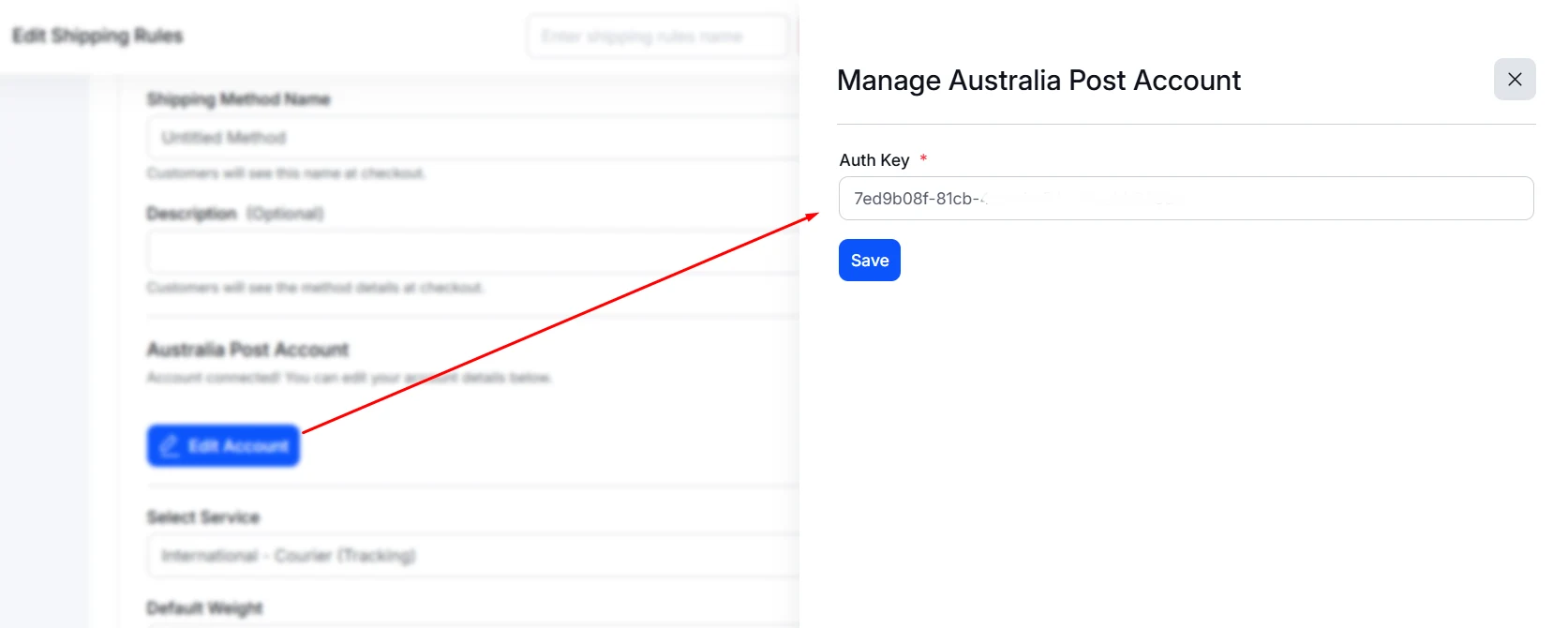
Once connected successfully, you’ll see the message: “Account connected successfully!”
Step 3: Select a Service Type
The Service Type determines which Australia Post services are shown to customers at checkout and how rates are calculated. This choice affects:
- Shipping costs displayed to customers
- Estimated delivery times
- Service features such as tracking, signature on delivery, and insurance
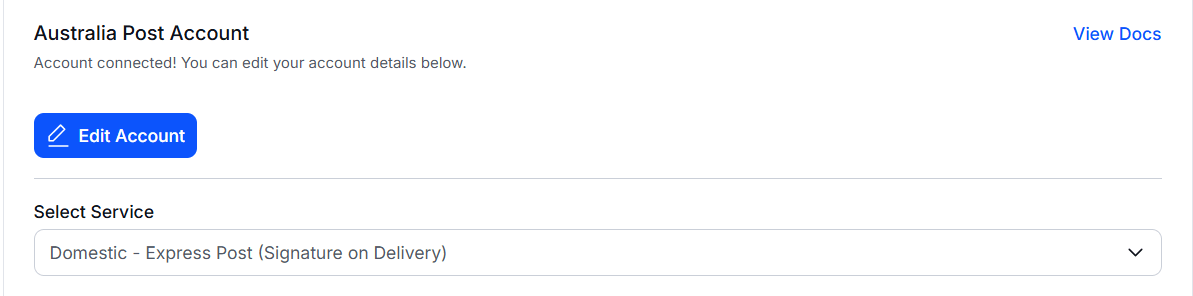
Choose a service that aligns with your business requirements, product value, and customer delivery expectations.
How to Add Multiple Australia Post Services
WowShipping allows you to offer multiple Australia Post services by creating separate shipping methods. To do this:
- Create a new shipping method.
- Select Carrier Live Rates → Australia Post again.
- Your account will already be connected, so no Auth Key is required.
- Choose a different service from the service dropdown.
This setup lets customers choose their preferred delivery option while giving you full control over pricing and service availability.
Next Steps
After completing the steps above, continue to the Carrier Live Rate configuration to set up:
- Default Weight and Dimensions
- Packaging strategy
- Markup Rate, and
- Fallback method
Need Help?
If you need additional assistance with the Australia Post integration, please contact the support team.